
Is an AI Financial Advisor Safe? A Data-Privacy & Security Guide
Educational information only — not financial advice, and not a substitute for a licensed financial advisor. Consult a professional before making financial decisions.
Whether an AI financial advisor is safe depends entirely on which kind of tool you mean. A purpose-built, regulated AI money tool with encryption and read-only account access is a different animal from pasting your bank statement into a free general chatbot.
This guide covers safety and privacy specifically — what data to never share, how account-linking actually works, how to read a privacy policy, the scam risks fraudsters now use AI for, and a practical checklist you can run through before you type anything sensitive.
Is an AI financial advisor safe? The short answer
Safety here isn’t one yes-or-no answer — it splits along the line between two very different products wearing the same label.
It depends on which “AI advisor” you mean
Regulated, purpose-built AI financial tools typically encrypt data in transit and at rest, connect to your accounts on a read-only basis, and — when they give personalized investment advice — fall under financial and privacy rules such as the Gramm-Leach-Bliley Act, Regulation S-P, and the FTC Safeguards Rule. General-purpose AI chatbots like ChatGPT sit on the opposite end: they’re built for open-ended conversation, not for custody of your bank data, and whatever you type into them may be stored and used to help train the underlying model. Same two words — “AI advisor” — but a very different safety profile depending on which one you’re actually using.
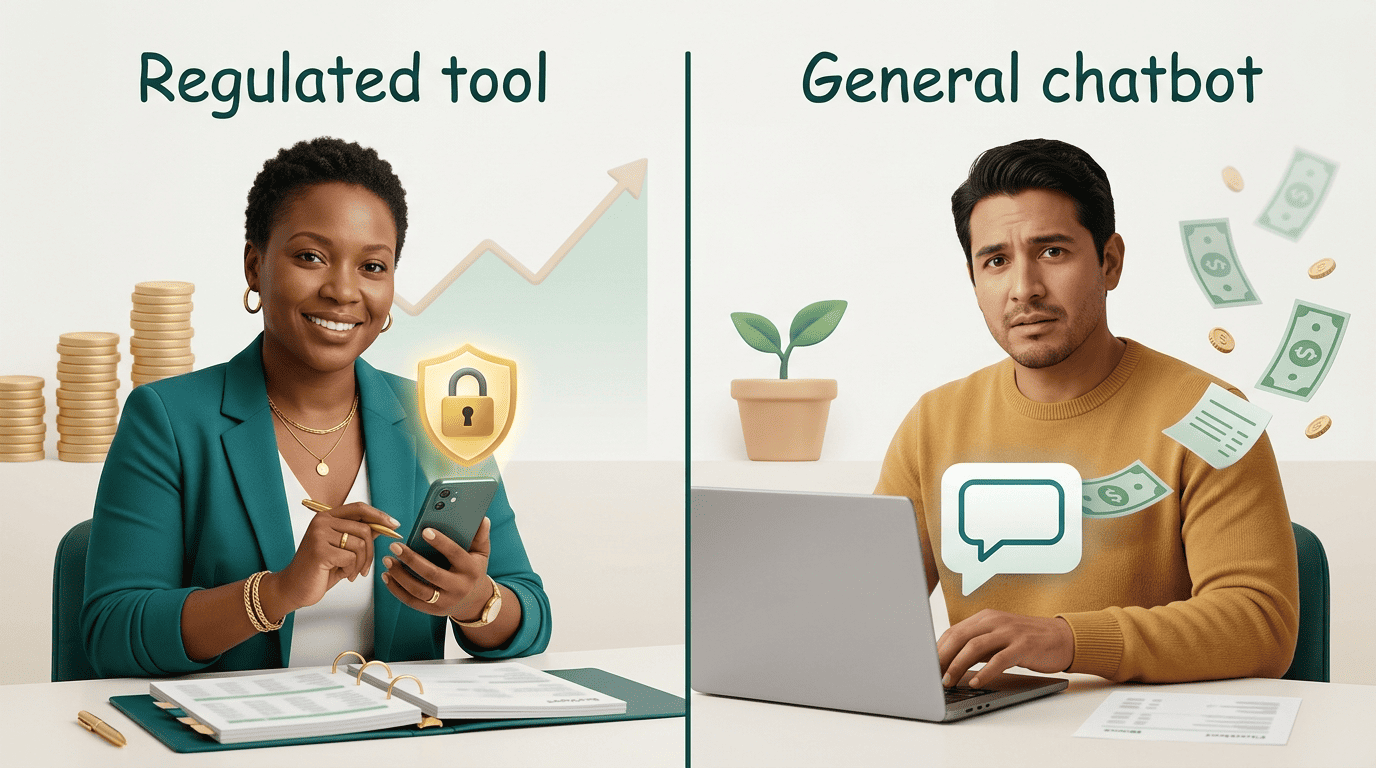
General guidance vs. your actual account numbers
The safe zone is general education: asking how a Roth IRA works, or what a reasonable emergency-fund target looks like. The risky zone is identifiers — your real name tied to real balances, full account numbers, or an uploaded statement. Broad budgeting questions are typically low-risk; pasting a raw bank or brokerage statement into a chat window is not.
| Regulated AI financial tool | General-purpose AI chatbot | |
|---|---|---|
| Account access | Read-only, tokenized, via an aggregator | None by default — only if you paste or connect data yourself |
| Encryption | Typically in transit and at rest | Varies by provider |
| Governing rules | GLBA, Regulation S-P, FTC Safeguards Rule (for personalized advice) | General terms of service |
| What happens to your inputs | Bound by financial-privacy obligations | May be stored and used to train the model |
That table is a rough guide, not a guarantee — always confirm the specifics in the individual tool’s own privacy policy before you rely on it.
What you should NEVER paste into a general AI chatbot
Before you type a single number into any chatbot, it helps to know exactly which details are the ones that actually hurt you if they leak.
The never-share list
- Social Security number — the master key to identity theft, since it unlocks new credit accounts in your name.
- Full bank account and routing numbers — enough for someone to attempt unauthorized transfers.
- Full credit- or debit-card numbers — usable for fraudulent charges without any additional verification.
- Online-banking usernames and passwords — a direct login to move or drain funds.
- Complete account statements, brokerage statements, or tax returns uploaded as files — these bundle account numbers, card details, and merchant data all in one document.
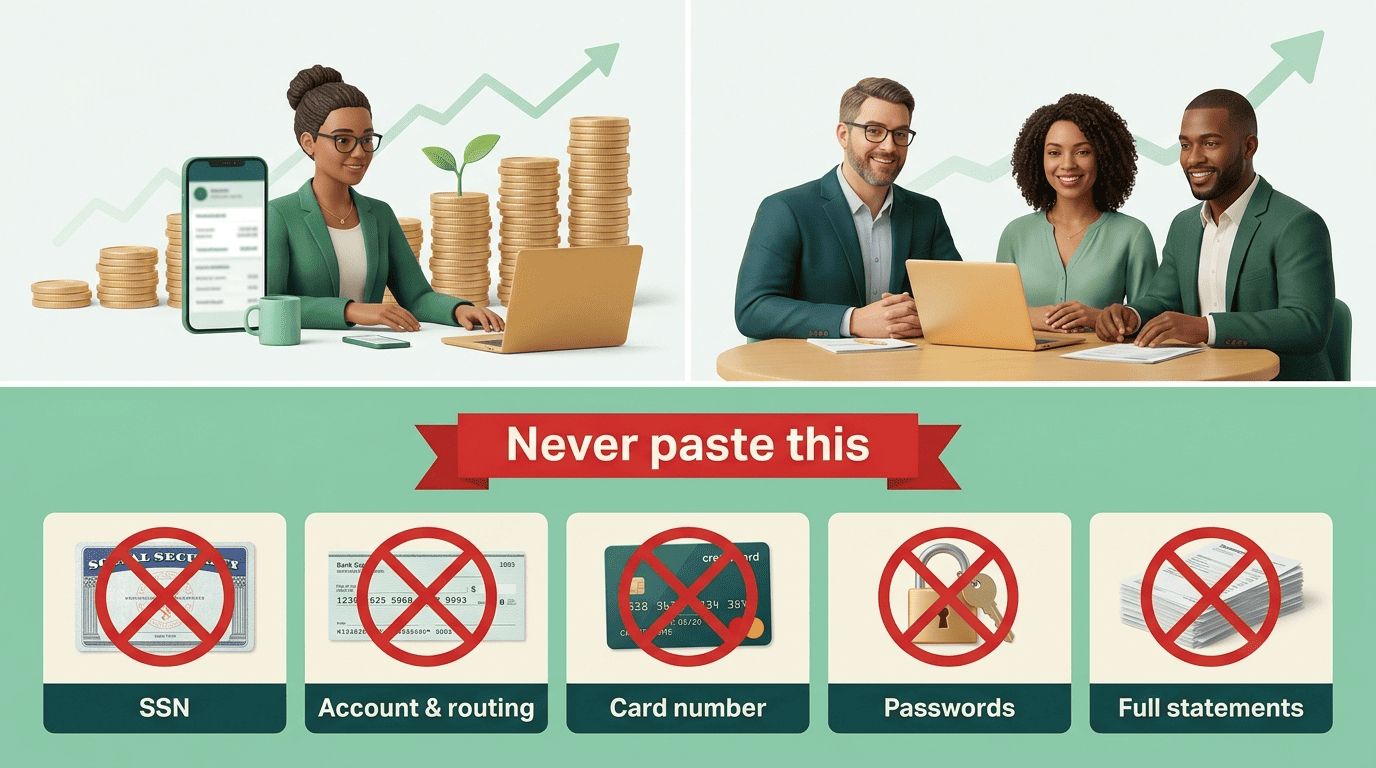
Many AI providers may retain what you type and use it to improve their models, and anything stored on a company’s servers can be exposed if that company suffers a data breach.
Why “it’s just a chatbot” is the wrong mental model
A chatbot conversation is not a locked vault. Data you enter can persist on company servers, get reviewed by staff to improve the service, and become part of the blast radius if that company is breached. The safer habit is to anonymize instead of disclose — use rounded figures and hypotheticals (“say someone earns about $70k and owes roughly $15k”) rather than your exact numbers and your real name.
How account-linking (aggregation) tools actually work
Not every way of connecting your bank to an app is equally risky — the mechanism behind the connection matters more than the app’s branding.
Read-only, tokenized access is what “good” looks like. Reputable money apps connect through an account aggregator that grants read-only access via a token, so the tool can display balances and transactions but cannot initiate a transfer, and your actual banking password is never handed to the AI itself. That’s a fundamentally different setup from any tool that asks you to type your online-banking password directly into a chat window — a request that should be treated as a red flag on its own.
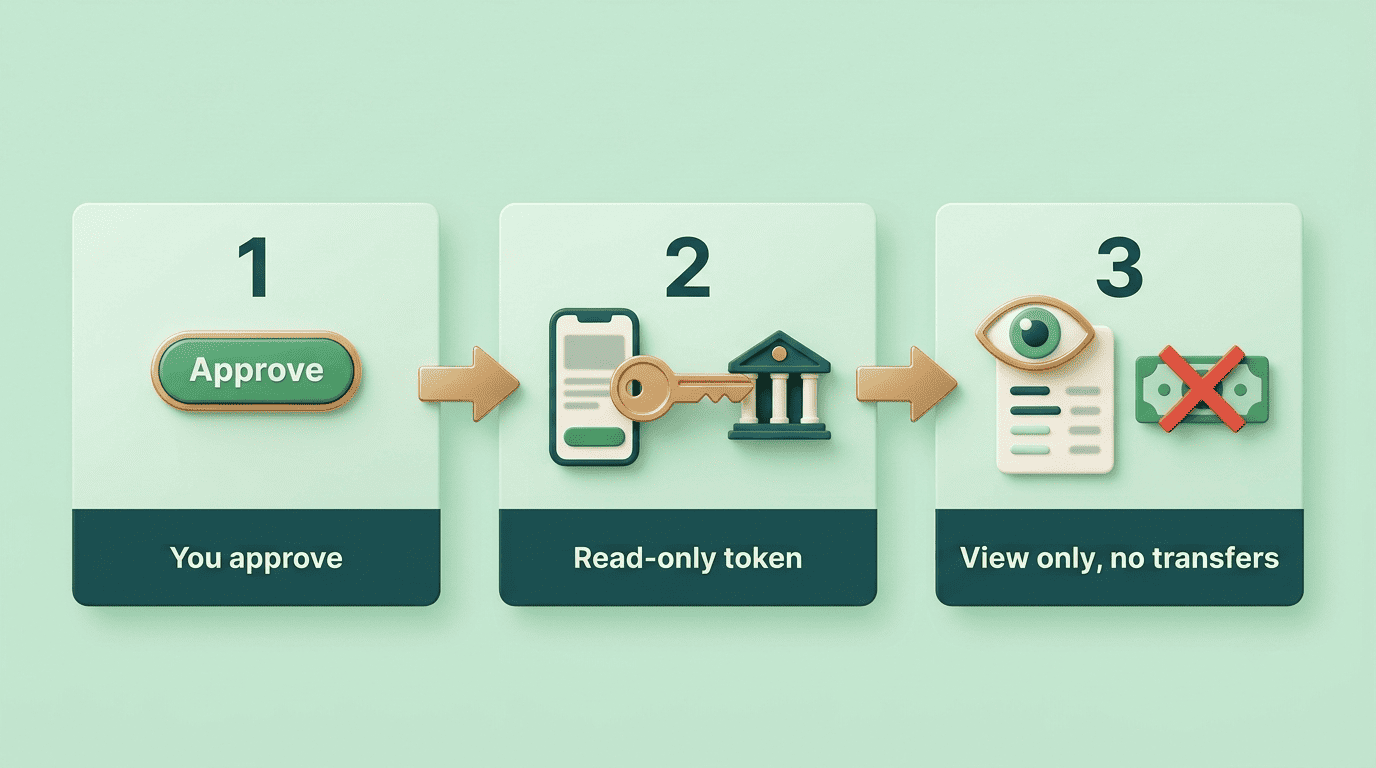
Ask a few questions before you link anything. Is the access read-only, or can the tool move money? Does the connection run through a named, established aggregator rather than an unfamiliar third party? Can you revoke the connection later from your own bank’s app? If a tool is brand-new and immediately asks to connect your accounts, experts urge caution — waiting, or starting with manual entry, is often the safer move.
Reading the privacy policy and turning off training
| What to check | Why it matters |
|---|---|
| Are my inputs used to train the model? | Determines whether your typed data becomes part of the AI’s future training set |
| How long is data retained? | Longer retention means a longer window of breach exposure |
| Is data shared with or sold to third parties? | Affects who else can see or use your information |
| Can I delete my data or chat history? | Determines whether you can undo a mistake later |
| Is it encrypted in transit and at rest? | Baseline technical protection against interception and server-side exposure |
Privacy policies vary widely between providers, which is exactly why this short checklist is worth two minutes before you type anything sensitive.
Many general-purpose chatbots include a setting to opt out of having your conversations used for training, or to disable chat history entirely. Turning these on reduces — but does not eliminate — how much of your data is retained. It’s worth being honest about that limitation: opting out of training is not the same as the data never being stored in the first place.

Phishing, deepfakes and AI-powered scams
The same technology that makes an AI financial advisor useful also makes today’s scams harder to spot.
How criminals weaponize AI
Per the SEC’s Office of Investor Education and Advocacy and FINRA, bad actors now use AI to clone voices, generate deepfake videos of company executives to try to manipulate stock prices, impersonate a relative claiming to be in some kind of trouble, and mass-produce convincing fake websites and phishing messages. The same underlying tools that help legitimate services sound natural and responsive can help scammers sound just as legitimate.
As one investor alert puts it:
Fraudsters can use AI technology to clone voices, alter images, and even create fake videos to spread false or misleading information.
SEC Office of Investor Education and Advocacy
Red flags and how to verify
The SEC and FINRA alerts flag a consistent set of warning signs: claims that “our proprietary AI trading system can’t lose,” promises of “guaranteed winners,” high-pressure tactics pushing you to act immediately, promises of quick profit with little or no risk, and promoters who aren’t registered.
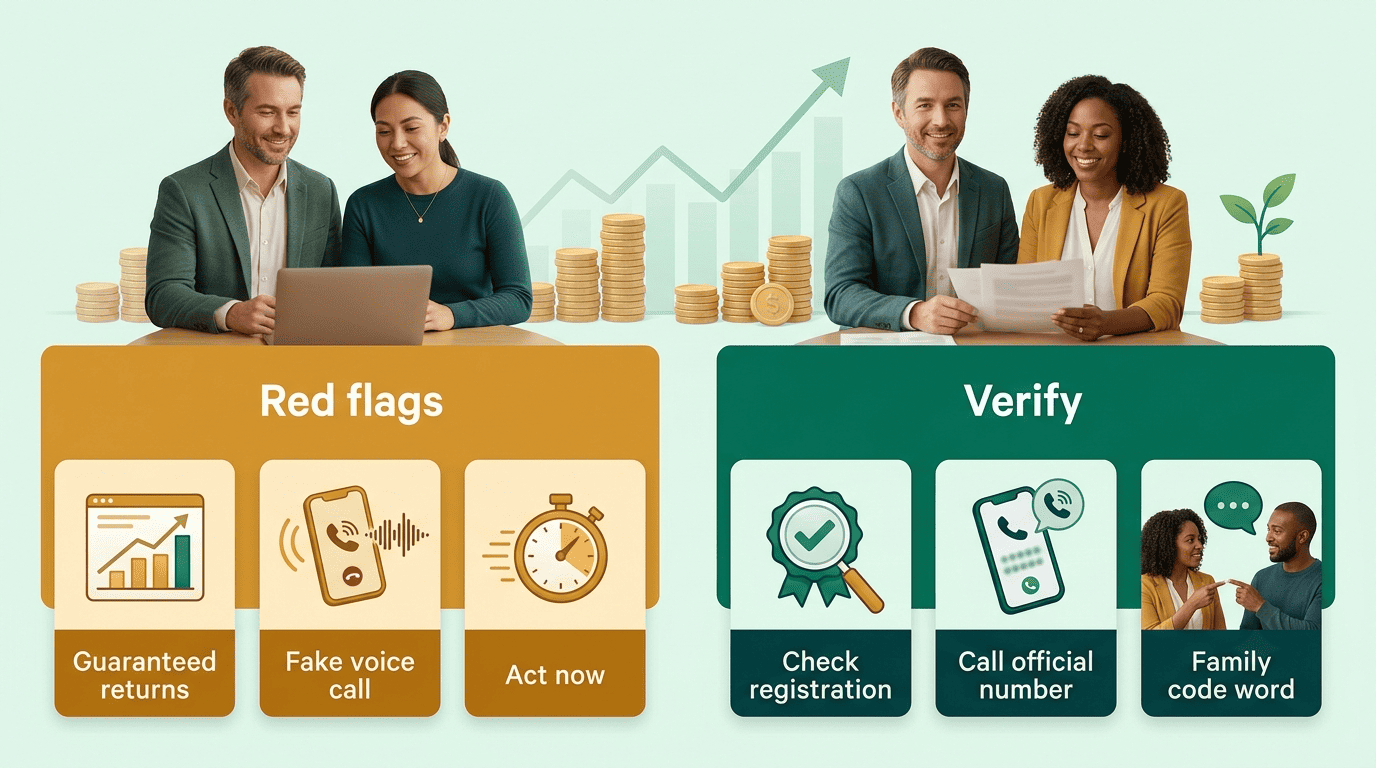
- Use the free “Check Out Your Investment Professional” tool on Investor.gov to confirm registration and disciplinary history.
- Independently call official numbers you look up yourself, rather than numbers or links sent to you.
- Agree on a family “code word” in advance so a voice-cloned emergency call can be quickly disproved.
- Pause before acting on any message that pressures you to move money fast.
A practical safety checklist for AI money tools
A short routine, run consistently, closes most of the gap between “AI advisor” as a marketing label and an AI tool that’s actually safe to use.
Before you use any AI financial tool
- Verify the tool’s legitimacy and, if it offers investment advice, its registration status.
- Read the privacy policy against the five questions above.
- Prefer paid or established platforms over anonymous free tools for anything sensitive — while remembering that both still carry some risk.
While you use it
- Never paste anything from the never-share list above.
- Anonymize figures with rounded numbers instead of exact balances.
- Keep any linked account on read-only access.
- Turn off training and chat-history retention where the setting is offered.
Protect the accounts around it
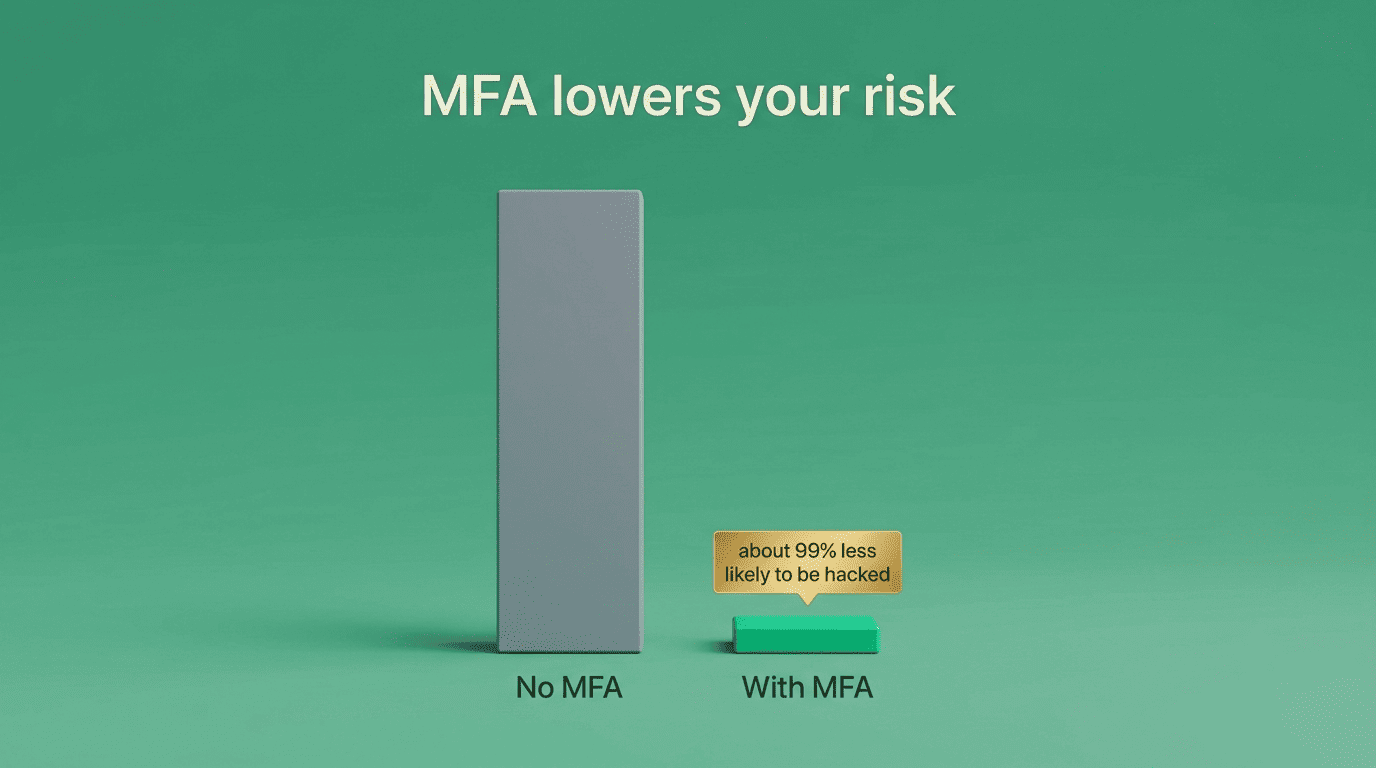
Enable multi-factor authentication on both email and banking — according to CISA, MFA makes you 99% less likely to be hacked, and phishing-resistant methods like FIDO/WebAuthn offer the strongest protection. Beyond MFA: use unique passwords for each account, only enter information on https sites, monitor statements regularly for unfamiliar activity, and know in advance how to revoke a linked connection from your bank’s own app.
An AI-powered financial advisor built around these habits — read-only linking, encryption, and clear privacy settings — is a meaningfully different risk profile than a general chatbot with no financial-data safeguards at all.
FAQ
Educational information only — not financial advice, and not a substitute for a licensed financial advisor. Consult a professional before making financial decisions.
For a broader look at how these tools work day to day, see the AI financial advisor tool overview.